art_modern: Modernized ART Simulator of Diverse Next-Generation Sequencing Reads
art_modern badges:




art_modern on BioConda: 


art_modern-openmpi on BioConda:

art-modern-utils badges:


art-modern-utils on PyPI:






Introduction
Here we introduce art_modern, a modern re-implementation of the popular ART simulator with enhanced performance and functionality. It can be used by anyone who wants to simulate sequencing data for their own research, such as benchmarking DNA- or RNA-Seq alignment algorithms, testing whether the RNA-Seq pipeline built by your lab performs well, or performing pressure testing of pipelines on a cluster.
art_modern supports ART-compatible error profiles. We also implemented a high-performance profile creator that generates ART-compatible profiles from FASTQ, SAM, and BAM files.
The program comes with new profiles for Illumina models, as well as error profiles from other NGS sequencers such as MGI Tech DNBSeq, Element Biosciences AVITI, and PacBio Onso.
Quick Start
Installation
NOTE: Although we’re providing compiled binaries for Linux, we still recommend compiling the source code yourself for maximum performance.
Using Fully Static Build
In each release, there will be a file named build_rel_with_dbg_alpine-x86_64.tar.gz in the Releases section. The file contains fully static, linked executable binaries built on x86_64 Alpine Linux and should work on most x86_64 Linux distributions. Unzip it, and you’re good to go.
WARNING: Static builds may compromise security.
NOTE: The fully static build supports NEITHER MPI NOR NCBI SRA files.
Using dpkg
If you use specific versions of Debian or Ubuntu, you can install art_modern through pre-built DEB packages available with each release. Root privileges are required.
NOTE: The DEB build does NOT support NCBI SRA files.
Using Docker/Podman/Singularity
The Docker/Podman/Singularity containers generated by BioConda is available at Quay.io (MPI-enabled version).
A singularity example is provided below:
singularity pull --name art_modern-1.3.2.sif \
    docker://quay.io/biocontainers/art_modern:1.3.2--hb45bfb9_0
singularity run art_modern-1.3.2.sif art_modern --version
Using Conda
Conda is a popular open-source package and environment management system that simplifies the installation and management of software packages and their dependencies. Before processing, make sure you’ve installed Conda equal to or later than 25.7.0 by conda --version. Then, to create an environment named art_modern_bioconda with the package installed:
conda create -y -n art_modern_bioconda -c bioconda -c conda-forge art_modern
conda run --no-capture-output --live-stream -n art_modern_bioconda art_modern --version
Use art_modern-openmpi to install the MPI-enabled version.
NOTE: The Conda build does NOT support NCBI SRA files.
Compiling the Source Code
Use Git to clone this repository:
git clone -b master https://github.com/YU-Zhejian/art_modern.git
cd art_modern
Or, if you have no Git:
curl -L -o art_modern-master.zip \
    https://github.com/YU-Zhejian/art_modern/archive/refs/heads/master.zip
# -L used to make cURL following redirects
unzip art_modern-master.zip
cd art_modern-master
Ensure you have a C++ compiler that supports C++17 installed on your computer (Preferably GCC >= 9.5.0). Also,suppress check whether your CMake, GNU Make, Boost C++ Library, GNU BinUtils, GNU Bash, GNU CoreUtils, Python 3, and minimal HTSLib dependencies (namely, zlib and pthread) are working.
Build the project using:
mkdir -p opt/build_release
env -C opt/build_release cmake -DCMAKE_BUILD_TYPE=RelWithDebInfo "$(pwd)"
cmake --build opt/build_release -j"$(nproc)"
The project binary will be available at opt/build_release/art_modern. Now we can test whether the program runs through:
opt/build_release/art_modern --help
opt/build_release/art_modern --version
Simulating WGS Data using the E. coli Genome
Download the E. coli reference genome from NCBI. Here, we’ll use the K-12 strand MG1655 sub-strand as an example.
mkdir -p opt/data/
ACCESSION="GCF_000005845.2_ASM584v2"
BASEURL="https://ftp.ncbi.nlm.nih.gov/genomes/all"
curl -L  \
    "${BASEURL}"/GCF/000/005/845/"${ACCESSION}"/"${ACCESSION}"_genomic.fna.gz \
    > opt/data/GCF_000005845.2_ASM584v2_genomic.fna.gz

gunzip -n -k opt/data/GCF_000005845.2_ASM584v2_genomic.fna.gz
# -n used to supres restoration of original timestamp.
Now we can simulate WGS data using the E. coli reference genome. Let’s start with single-end sequencing using HiSeq 2500 (which is the default art_modern profile and can be set explicitly through --builtin_qual_file HiSeq2500_150bp) with 250 bp read length (which is the longest read lengths supported by the profile and can be set explicitly through --read_len 250), 10X coverage, and all available threads (can be set explicitly through --parallel).
opt/build_release/art_modern \
    --mode wgs \
    --lc se \
    --i-file opt/data/GCF_000005845.2_ASM584v2_genomic.fna \
    --o-fastq opt/build_release/e_coli_wgs_se.fastq \
    --i-fcov 10
The generated FASTQ file will be at opt/build_release/e_coli_wgs_se.fastq.
We may also simulate paired-end data with the following configuration:
opt/build_release/art_modern \
    --mode wgs \
    --lc pe \
    --i-file opt/data/GCF_000005845.2_ASM584v2_genomic.fna \
    --o-fastq opt/build_release/e_coli_wgs_pe.fastq \
    --i-fcov 10 \
    --pe_frag_dist_mean 300 \
    --pe_frag_dist_std_dev 50
Please note that we have additionally specified a quality file for read 2 with the mean and standard deviation of fragment lengths, which are required for paired-end sequencing. The generated fragment length should follow a normal (Gaussian) distribution with the desired mean and standard deviation.
NOTE: The generated FASTQ file needed to be split into two FASTQ files and sorted for most pipelines. See this section in the FAQ for more details.
Simulating RNA-Seq Data using C. Elegans Transcriptome
Simulating the transcriptome is a bit more complicated, since each cDNA molecule has a different count. Strand-specific library technologies also generate RNA-Seq data from only one strand. You’re recommended to use YASIM or other high-level simulators to generate an expression for each cDNA molecule. You can also convert transcript quantification results generated by featureCounts, htseq-count, Salmon, Kallisto, or STAR to the format supported by art_modern. The unified coverage model (i.e., like WGS) is also supported.
Please note that cDNAs with insufficient length will be ignored. We also do not support circular RNA simulation.
Unified Coverage
Following example: samples 1000 long transcripts from the C. elegans transcriptome in the UCSC Genome Browser, and performs a simulation using 10X unified coverage. You need to install seqtk and seqkit to run this example:
curl https://hgdownload.soe.ucsc.edu/goldenPath/ce11/bigZips/mrna.fa.gz | \
    gzip -cdf | \
    seqkit seq -m 200 | \
    seqtk sample /dev/stdin 1000 > opt/build_release/ce11_mrna_1000.fa

opt/build_release/art_modern \
    --mode trans \
    --lc se \
    --i-file opt/build_release/ce11_mrna_1000.fa \
    --o-fastq opt/build_release/c_elegans_trans_unified_se.fastq \
    --i-fcov 10
Unstranded Coverage
To simulate data with unstranded coverage information (i.e., same coverage on both strands), you need to provide an additional TSV file with one column of transcript ID and another column of coverage (in floating points). Please note that lines started by # will be ignored. An example of the coverage file (Depth rounded to 2 decimal places for simplicity):
NM_069135	6.69
NR_056112	5.19
NR_051843	3.45
NR_066512	4.73
The following example generates a coverage file using GNU AWK, with random coverage values ranging from 0 to 10 assigned to each cDNA molecule.
samtools faidx opt/build_release/ce11_mrna_1000.fa
awk 'BEGIN{print "#ID\tCOV";}{printf "%s\t%f\n", $1, (rand()*10);}' \
    < opt/build_release/ce11_mrna_1000.fa.fai \
    > opt/build_release/ce11_mrna_1000.fa.unstranded_cov.tsv

opt/build_release/art_modern \
    --mode trans \
    --lc se \
    --i-file opt/build_release/ce11_mrna_1000.fa \
    --o-fastq opt/build_release/c_elegans_trans_unstranded_se.fastq \
    --i-fcov opt/build_release/ce11_mrna_1000.fa.unstranded_cov.tsv
Stranded Coverage
To simulate data with stranded coverage information (i.e., coverage on one strand is different from the other), you need to provide an additional TSV file with one column of transcript ID and two other columns of coverage on the positive and negative strands (in floating points). An example of the coverage file:
NM_069135	2.31	4.38
NR_056112	3.47	1.72
NR_051843	1.35	2.09
NR_066512	3.04	1.68
Code example:
awk 'BEGIN{print "#ID\tCOV_POS\tCOV_NEG";}{printf "%s\t%f\t%f\n", $1, (rand()*5), (rand()*5);}' \
    < opt/build_release/ce11_mrna_1000.fa.fai \
    > opt/build_release/ce11_mrna_1000.fa.stranded_cov.tsv

opt/build_release/art_modern \
    --mode trans \
    --lc se \
    --i-file opt/build_release/ce11_mrna_1000.fa \
    --o-fastq opt/build_release/c_elegans_trans_stranded_se.fastq \
    --i-fcov opt/build_release/ce11_mrna_1000.fa.stranded_cov.tsv
The PBSIM3 Transcripts Input Format
The PBSIM3 Transcripts input format is a 4-column tab-delimited text file with transcript ID, sequence, and coverage on both strands. This file includes both sequence and coverage, so no additional coverage parameter is required. Similarly, sequences that are too short and lines that start with # will be ignored. An example of the transcript input file is as follows (Sequences represented as aaaa):
NR_056112	3.47	1.72	aaaa
NR_051843	1.35	2.09	aaaa
NR_066512	3.04	1.68	aaaa
NM_061905	0.96	1.39	aaaa
NR_054174	3.59	4.92	aaaa
The following example converts a FASTA file to the PBSIM3 Transcripts input format using seqkit, with random coverage generated using GNU AWK. Note that the --i-type parameter is required.
seqkit fx2tab opt/build_release/ce11_mrna_1000.fa | \
    awk 'BEGIN{print "#ID\tCOV_POS\tCOV_NEG\tSEQ";}{printf "%s\t%f\t%f\t%s\n", $1, (rand()*5), (rand()*5), $3;}' \
    > opt/build_release/ce11_mrna_1000.fa.pbsim3_trans.tsv

opt/build_release/art_modern \
    --mode trans \
    --lc se \
    --i-file opt/build_release/ce11_mrna_1000.fa.pbsim3_trans.tsv \
    --o-fastq opt/build_release/c_elegans_trans_pbsim3_se.fastq \
    --i-type pbsim3_transcripts
Template-Based Simulation
Template-based simulation is often used to introduce Illumina-specific errors into cDNA molecules generated by an upstream simulator such as CAMPAREE. In this mode, single-end reads will start at the first base of the template, while paired-end/mate-pair reads will span the entire template. The template-based simulation mode also supports the PBSIM3 Transcripts format. For example:
opt/build_release/art_modern \
   --mode template \
   --lc pe \
   --i-file opt/build_release/ce11_mrna_1000.fa.pbsim3_trans.tsv \
   --o-fastq opt/build_release/c_elegans_template_pbsim3_se.fastq \
   --i-type pbsim3_transcripts
Please note that the mean and standard deviation of fragment length are not specified since in template-based simulation, a template is considered a fragment.
NOTE: For coverage of the template mode:
If a unified coverage file is provided, the coverage will be interpreted as positive coverage rather than split equally between the strands.
If a 2-column (unstranded) coverage file is provided, the coverage will be treated as positive.
If a 3-column (stranded) coverage file or input in a format of
pvsim3_transcriptsis provided, the coverage will be interpreted as-is.
Advanced Topics
Using UNIX Pipelines
With UNIX pipelines, we can redirect the input and output of art_modern. Redirection can be done at both the input and output ends, with both files and processes. The following example reads FASTA reference from /dev/stdin (Standard Input), and writes compressed FASTQ, FASTA, and sorted BAM files.
This example requires gzip, pigz, SAMtools, and XZ Utils. Note that the --i-type parameter is required, since the simulator now cannot infer the file format from its file extension.
zcat opt/data/GCF_000005845.2_ASM584v2_genomic.fna.gz | \
    opt/build_release/art_modern \
    --mode wgs \
    --lc se \
    --i-file /dev/stdin \
    --i-type fasta \
    --i-parser memory \
    --o-fastq >(pigz -9-cf - > opt/build_release/e_coli_wgs_se.fastq.gz) \
    --o-fasta >(xz -9 -T5 -cf - > opt/build_release/e_coli_wgs_se.fasta.xz) \
    --o-sam >(samtools sort -o opt/build_release/e_coli_wgs_se.sorted.bam) \
    --i-fcov 5
Please wait for a while for the compression to finish.
NOTE Pipelines and redirections are not supported in the MPI mode mentioned below.
TIPS You may find the pv(1) program useful when working with pipelines.
Using MPI
The Message Passing Interface (MPI) is a standard for parallel computing on high-performance clusters (HPCs). It allows processes to communicate with each other through the intranet. If you’re working on a cluster with MPI installed, you can use the MPI version of art_modern to speed up the simulation by executing art_modern on different nodes in parallel.
NOTE: Please consult your cluster administrator/cluster documentation before using the MPI version, since some clusters may have special configurations and/or quota limitations.
See also:
Documentation for MPI Integration in Slurm if your cluster uses Slurm Workload Manager.
Documentations from MPI vendors:
Open MPI Documentation, especially its Launching MPI applications section.
You may also find the following information helpful:
OpenHPC Community if you’d like to build your own HPC cluster.
Building MPI-Enabled art_modern
Load the MPI environment on your cluster. Then execute:
mkdir -p opt/build_release-mpi
env -C opt/build_release-mpi \
    cmake \
    -DCMAKE_BUILD_TYPE=RelWithDebInfo \
    -DWITH_MPI=ON \
    "$(pwd)"
cmake --build opt/build_release-mpi -j"$(nproc)"
Test whether the MPI version works:
mpiexec -n 1 opt/build_release-mpi/art_modern-mpi --version
You should be able to see the output MPI standard version and vendor-specific information. For example:
MPI:
        Standard Version: 3.1
        Library Version: Open MPI v4.1.6, [...]
If you’re using OpenMPI.
Changes in Output Files
Let us run a WGS simulation with 4 MPI processes:
mpiexec -n 4 opt/build_release-mpi/art_modern-mpi \
    --mode wgs \
    --lc se \
    --i-file opt/data/GCF_000005845.2_ASM584v2_genomic.fna \
    --o-fastq opt/build_release-mpi/e_coli_wgs_se.fastq \
    --i-fcov 20 \
    --parallel 4
4 files, namely e_coli_wgs_se.0.fastq, e_coli_wgs_se.1.fastq, e_coli_wgs_se.2.fastq, and e_coli_wgs_se.3.fastq will be generated in opt/build_release-mpi/ directory. Each file corresponds to the output from each MPI process (rank 0 to rank 3). This behavior is the same for other output files (e.g., PWA, SAM/BAM).
NOTE In the above example, the actual number of computational threads used in simulation will be 16 (4 MPI processes * 4 threads per process) since we’ve specified --parallel 4.
Other Differences Between MPI and Non-MPI Versions
The simulator will not support UNIX devices or input/output file redirection. So, even if your input is enormous, you have to write it to a physical file first. However, as most HPC clusters use distributed file systems, this should not be a big problem.
Logging issues: Only log messages from the rank 0 process will be printed to standard error. Other ranks’ log messages will be written to disk (If environment variable
ART_NO_LOG_DIRis not set) or discarded (If environment variableART_NO_LOG_DIRis set).
Building ART/art_modern Profiles
The art_profile_builder is a new executable designed to replace the old art_profiler_illumina Shell/Perl scripts for building ART-compatible quality profiles. It supports input from FASTQ, SAM/BAM, and NCBI SRA (If configured) files. The generated files would be compatible with the original ART and art_modern.
Examples using single-end FASTQ:
art_profile_builder \
    --i-file input.fq \
    --read_len 36 \
    --o-file1 output_profile.txt \
    --parallel 8 \
    --i-num_threads 4
Examples using paired-end SAM/BAM:
art_profile_builder \
    --i-file input.sam \
    --read_len 36 \
    --is_pe \
    --o-file1 output_R1.txt \
    --o-file2 output_R2.txt \
    --parallel 10 \
    --i-num_threads 4
For complete usage information, see the full documentation.
By default, the program would NOT support building profiles from the NCBI short-read archive (SRA). Use -DWITH_NCBI_NGS=ON to enable it. Additional libraries are required. See this section in the installation instructions for details.
What’s Next?
The project provides diverse documentation to satisfy your needs.
If you want to build the software with different options, see Install.
For a detailed guide on parameters and their combinations, see Usage for
art_modern, Usage forart_profile_builder, and FAQ.For developers, please refer to:
Contributing to software engineering tasks and contribution guidelines. See also Code of Conduct.
Design for the latest software design topics.
Copying for third-party libraries and codes used in this project.
News for changes to the project.
For a comparison of this project with other simulators, see Benchmark.
The original ART documentation is copied here.
Limitations
art_modern is an accelerated version of ART – It does not revise ART’s algorithms, which were published more than 10 years ago. This would lead art_modern to be inferior in the following:
art_moderncannot simulate the Indel bias and GC bias of Illumina sequencers.The latest Illumina models use Quality Score Binning. See Illumina White paper and Illumina documentation for quality binning on NovaSeq 6000 systems for more details. WE ARE UNSURE WHETHER THE PROGRAM CAN RELIABLY SIMULATE SUCH DATA. Our current policy on this is to warn the user if the provided quality profile has fewer than 10 bins and to reject the profile with fewer than 4 bins.
Acknowledgements
This simulator is based on the work of Weichun Huang et al., under the GNU GPL v3 license. The software is originally distributed here with the following reference:
W. Huang, L. Li, J. R. Myers, and G. T. Marth, ART: a next-generation sequencing read simulator, Bioinformatics (Oxford, England), vol. 28, no. 4, pp. 593–594, Feb. 2012, DOI: 10.1093/bioinformatics/btr708.
Bundled libraries in this project are distributed under their own licenses. See Copying for details.
Citing This Work
Following is the bioRxiv preprint of this work.
@article {YU2026.02.20.707060,
	author = {YU, Zhejian},
	title = {art_modern: An Accelerated ART Simulator of Diverse Next-Generation Sequencing Reads},
	elocation-id = {2026.02.20.707060},
	year = {2026},
	doi = {10.64898/2026.02.20.707060},
	publisher = {Cold Spring Harbor Laboratory},
	URL = {https://www.biorxiv.org/content/early/2026/02/23/2026.02.20.707060},
	eprint = {https://www.biorxiv.org/content/early/2026/02/23/2026.02.20.707060.full.pdf},
	journal = {bioRxiv}
}
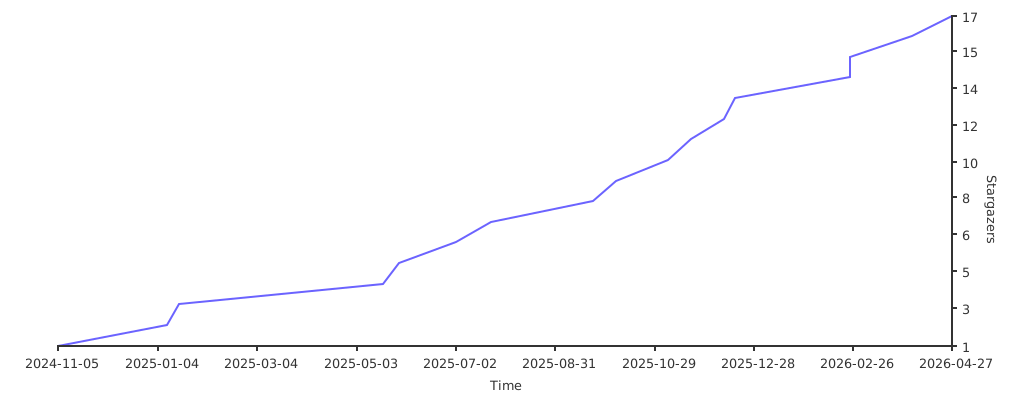
Stargazers Over Time